

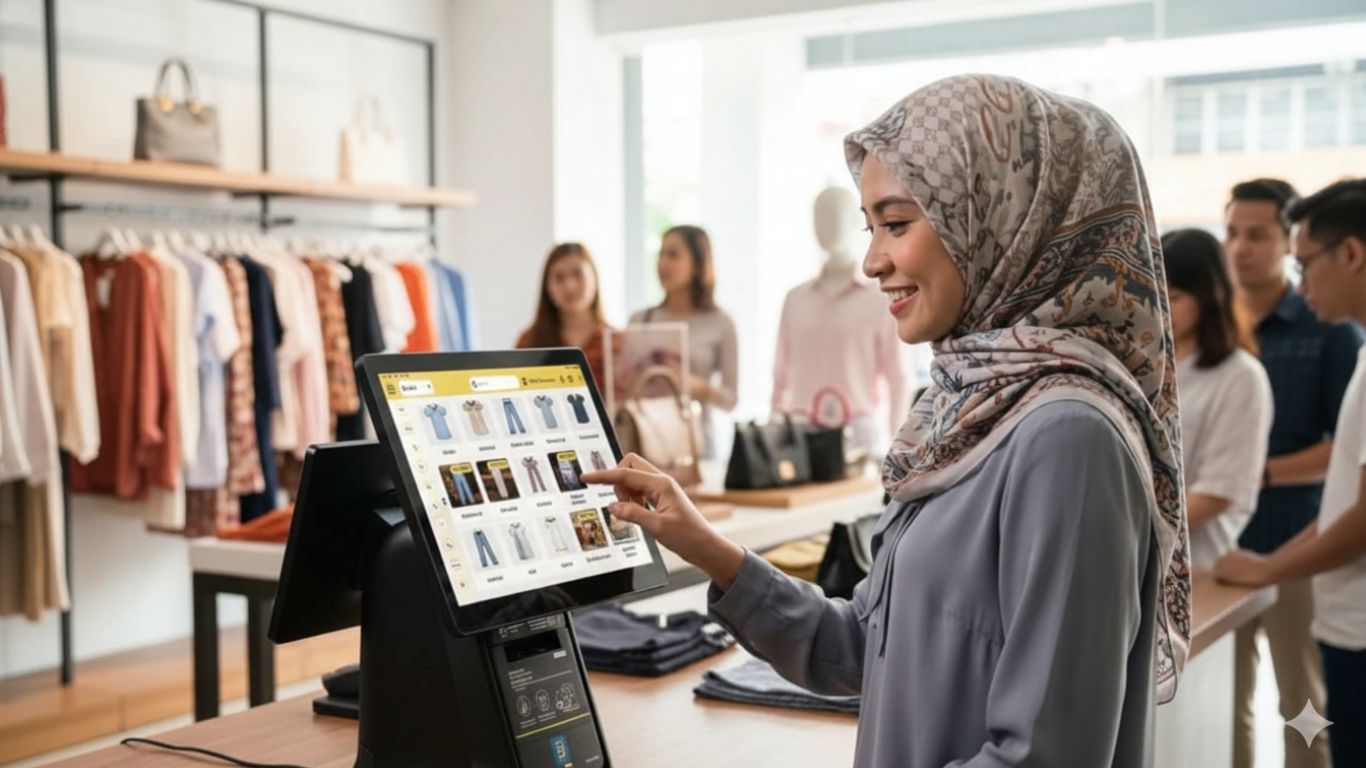
POS System for Retail Industry: Transforming Your Store with Next-Gen E-Invoicing
The Malaysian retail landscape stands at a pivotal transformation point. With LHDN’s mandatory e-Invoice implementation rolling out through 2027 and the wholesale & retail trade sector recording sales of over RM1.7 trillion annually, retailers must modernize their operations to remain competitive. Next-generation POS (Point of Sale) systems equipped with e-Invoice integration, real-time inventory management, and omnichannel capabilities have evolved from nice-to-have tools into business-critical infrastructure.
This comprehensive guide explores how modern retail POS systems with integrated e-invoicing capabilities can transform your store operations, ensure regulatory compliance, and drive sustainable growth in Malaysia’s competitive retail environment.
The Critical Role of POS Systems in Modern Retail
Why Traditional Cash Registers No Longer Suffice
Malaysian retail businesses face unprecedented operational pressures that manual systems and basic cash registers cannot address:
Regulatory Compliance Demands
Malaysia’s phased e-Invoice mandate requires digital invoicing capabilities, real-time submission to LHDN’s MyInvois platform, and 7-year digital record retention.[2][4][1]
Inventory Complexity
Modern retailers manage hundreds to thousands of SKUs across multiple product variants (size, color, style), requiring automated tracking systems.
Omnichannel Expectations
Customers expect seamless experiences whether shopping in-store, online, or via marketplace platforms like Shopee and Lazada.
Data-Driven Decision Making
Retailers need real-time insights on sales trends, best-selling products, and customer behavior to optimize inventory and pricing strategies.[6]
Labor Efficiency
Staff shortages and rising labor costs demand automation of repetitive tasks like stock counting, price updates, and sales reporting.[4]
The Cost of Outdated Systems
Retailers sticking with manual processes face:[4]
· 15-25% revenue loss from stockouts and overstock situations
· 30-40% more time spent on manual inventory counts and reconciliation
· High error rates in pricing, invoicing, and inventory records
· Compliance penalties up to RM500,000 for e-Invoice non-compliance[2]
· Customer churn due to poor shopping experiences and payment friction
Understanding Malaysia’s E-Invoice Mandate for Retail
What is E-Invoicing?
E-invoicing is the digital generation, transmission, validation, and storage of invoices submitted to LHDN (Inland Revenue Board of Malaysia) for real-time validation before sharing with customers.[3][1][2]
Unlike PDF invoices or scanned documents, valid e-Invoices must:
· Be generated in XML or JSON format following UBL 2.1 standards
· Submitted to MyInvois platform via API or web portal
· Receive Unique Identifier Number (UIN) and validation
· Include QR code for verification
· Be stored electronically for 7 years[1][2]
Phased Implementation Timeline
| Phase | Annual Turnover | Implementation Date | Status |
|---|---|---|---|
| 1 | > RM100 million | August 1, 2024 | Mandatory |
| 2 | RM25 – RM100 million | January 1, 2025 | Mandatory |
| 3 | RM5 – RM25 million | July 1, 2025 | Mandatory |
| 4 | RM1 – RM5 million | January 1, 2026 | Upcoming |
| 5 | Up to RM1 million | July 1, 2026 | Upcoming |
| Exemption | Below RM500,000 | – | Exempt |
Source: LHDN Official Guidelines[4][1][2]
Retail Transactions Requiring E-Invoices
All retail businesses must issue e-Invoices for:[3][4]
Income Transactions:
· Product sales (walk-in and online)
· Repair or service charges
· Pre-orders and deposits collected
· B2B wholesale transactions
Expense Transactions:
· Inventory purchases from suppliers
· Shop rental or warehouse payments
· Equipment and utilities
· POS system subscriptions and digital tools
B2C E-Invoicing: Two Scenarios
Scenario 1: Customer Requests E-Invoice
When customers request an e-Invoice (typically B2B customers), retailers must collect full buyer details (name, TIN, address) and issue individual e-Invoices immediately.[7]
Scenario 2: No Customer Request (Consolidated E-Invoice)
For walk-in retail customers who don’t request e-Invoices, retailers can:
1. Issue normal receipts at point of sale
2. Consolidate all receipts into a single monthly e-Invoice by 7th of following month
3. Consolidated e-invoices have a RM10,000 transaction limit (from January 1, 2026). Transactions exceeding RM10,000 must have individual e-Invoices
4. Submit consolidated e-Invoice with “General Public” as buyer[8][7]
This consolidated approach significantly reduces administrative workload for high-volume retailers like convenience stores and supermarkets.[7]
Essential Features of Modern Retail POS Systems
1. Real-Time Inventory Management
The foundation of retail success is knowing exactly what stock you have, where it is, and when to reorder.
Real-Time Stock Tracking:
· Automatic deduction as sales occur
· Synchronization across all sales channels (in-store, online, marketplaces)
· Multi-location visibility for retail chains
· Product variant tracking (size, color, style)
Automated Reordering:
· Set reorder points for each product
· Automatic purchase order generation when stock hits threshold
· Supplier integration for seamless ordering
· Demand forecasting based on historical sales
Low Stock Alerts:
· Real-time notifications when inventory drops below minimum levels
· Prevents stockouts of best-selling items
· Reduces emergency reordering costs
SKU Management:
· Barcode generation and printing
· Product variants and bundles
· Serial number tracking for high-value items
· Batch and expiry date tracking
2. Barcode Scanning Integration
Barcode scanning accelerates checkout, reduces pricing errors, and enables accurate inventory tracking.
Types of Barcode Scanners:
· Laser Scanners: Standard UPC/EAN barcodes for most retail products
· 2D Imagers: QR codes, mobile payment codes, loyalty cards
· Wireless Bluetooth Scanners: Mobile stocktaking and warehouse management
Benefits for Retail:
· 10x faster checkout compared to manual entry
· 99.9% accuracy eliminating pricing errors
· Instant inventory updates as items are scanned
· Self-checkout enablement for labor cost reduction
3. E-Invoice Integration
Seamless e-Invoice generation at point of sale ensures compliance without operational disruption.[12][1][3]
How It Works:
1. Customer completes purchase at POS
2. System auto-generates e-Invoice in UBL format
3. Submits to MyInvois API for validation within 2 seconds
4. Receives UIN and QR code
5. Shares digital invoice with customer via email/SMS
6. Stores record for 7-year retention[1][2]
Integration Options:
Direct API Integration:
· POS system connects directly to LHDN MyInvois API
· Requires technical development and maintenance
· Suitable for large retailers with IT resources[2][3]
Middleware Solutions:
· Third-party platforms like JomeInvoice, Complyance bridge POS and MyInvois
· Plug-and-play integration without custom development
· Subscription-based pricing (RM200-500/month per terminal)[12][3]
4. Omnichannel Retail Capabilities
Modern consumers expect to shop across multiple touchpoints seamlessly.
Unified Inventory:
· Single inventory pool shared across all sales channels
· Prevents overselling when product sells out online vs in-store
· Real-time synchronization ensures accurate availability
Order Management:
· Process online orders from Shopee, Lazada in-store
· Click-and-collect (buy online, pick up in store)
· Ship-from-store for faster delivery
· Return-anywhere flexibility
Customer Data Unification:
· Single customer profile across all touchpoints
· Purchase history from online and offline
· Unified loyalty points and rewards
5. Customer Relationship Management (CRM) & Loyalty Programs
Build repeat business and increase customer lifetime value through integrated CRM.
Customer Data Collection:
· Capture contact details, purchase history, preferences
· Birthday and anniversary tracking
· Communication preferences (SMS, email, WhatsApp)
Loyalty Program Management:
Points-Based Rewards:
· Earn points on every purchase (e.g., RM1 = 1 point)
· Tiered membership levels (Bronze, Silver, Gold, Platinum)
· Point redemption for discounts or free products[1]
Automated Promotions:
· Birthday rewards and special occasion offers
· Targeted campaigns based on purchase history
Instant Enrollment:
· QR code scan for membership signup
· Phone number-only registration (no app required)
· Automatic member recognition at checkout[1]
6. Multi-Location Management
Retail chains need centralized control with location-specific flexibility.
Centralized Dashboard:
· Monitor sales, inventory, staff performance across all outlets
· Compare location performance side-by-side
· Consolidated reporting for management
Stock Transfers:
· Move inventory between locations to balance stock
· Track transfer status and costs
· Prevent stockouts by leveraging nearby store inventory
Standardized Operations:
· Uniform pricing across locations (or location-specific pricing)
· Synchronized menu/catalog updates
· Centralized promotion management
7. Comprehensive Analytics & Reporting
Data-driven insights optimize inventory, pricing, and staffing decisions.[6]
Sales Analytics:
· Daily, weekly, monthly, yearly comparisons
· Best-selling products and categories
· Sales by location, time of day, staff member
· Average transaction value and basket size[6]
Inventory Reports:
· Stock turnover rates
· Slow-moving and dead stock identification
· Profit margin analysis by product/category
· Inventory aging reports
Customer Insights:
· Customer acquisition and retention rates
· Purchase frequency and recency
· Customer lifetime value
· Demographic segmentation[6]
Customizable Dashboards:
· Visual KPI tracking (graphs, charts, heat maps)
· Real-time updates
· Mobile access for remote monitoring
· Exportable reports (PDF, CSV, Excel)[6]
8. Employee Management
Streamline staff operations, track performance, and manage payroll efficiently.
Time Clock & Attendance:
· Clock in/out via PIN, barcode badge, or biometric
· Break management (paid/unpaid)
· Overtime tracking
· GPS location verification
Role-Based Permissions:
· Cashier: Sales transactions only
· Supervisor: Discounts, refunds, reports
· Manager: Full inventory and settings access
· Admin: Complete system control
Performance Tracking:
· Individual sales performance
· Transaction speed and accuracy
· Shift summaries and productivity metrics
Payroll Integration:
· Automatic timesheet export
· Calculate wages, overtime, commissions
· Integration with accounting software
9. Security Features
Protect against external cyber threats and internal fraud.[5][10]
Payment Security:
· End-to-end encryption of card data
· PCI DSS compliance for card processing
· Tokenization replacing card numbers with tokens
· EMV chip card support[10][9][5]
Access Control:
· User authentication (PIN, password, 2FA)
· Role-based permissions limiting sensitive data access
· Audit trails tracking all system activities
· Cash drawer access logging[5][10]
Data Protection:
· Regular automated backups
· PDPA compliance for customer data
· Secure cloud storage with encryption
· Disaster recovery capabilities[10][5]
Fraud Prevention:
· Transaction monitoring for suspicious patterns
· Void/refund approval requirements
· Cash management controls
· Discount authorization limits[10]
Implementation Roadmap: Launching Your Retail POS
Phase 1: Planning & Assessment (Week 1-2)
Step 1: Business Requirements Analysis
· Current pain points and bottlenecks
· Number of SKUs and product variants
· Sales channels (in-store, online, marketplaces)
· Number of locations and staff
· Integration needs (accounting, e-commerce, delivery platforms)
Step 2: E-Invoice Compliance Check
· Determine your implementation deadline based on annual turnover
· Understand LHDN e-Invoice requirements for your industry
· Evaluate direct API vs middleware approach
Step 3: Budget Planning
· POS software subscription
· Hardware (terminals, tablets, scanners, printers)
· E-Invoice middleware (if needed)
· Training and implementation support
Phase 2: System Selection & Setup (Week 3-5)
Step 1: Vendor Evaluation
· Request demos from 3-5 providers
· Test user interface and workflow
· Verify e-Invoice integration capability
· Check hardware compatibility
· Review customer support and training offerings
Step 2: Hardware Procurement
· POS terminals or tablets (RM1,500-3,000 each)
· Barcode scanners (RM200-800 each)
· Receipt printers (RM300-800 each)
· Cash drawers (RM200-500 each)
· Customer display screens (optional, RM500-1,000)
Step 3: Data Migration
· Import product catalog with pricing
· Upload images and descriptions
· Configure product variants and categories
· Set up suppliers and purchase orders
· Import customer database (if applicable)
Step 4: Integration Configuration
· Connect e-Invoice middleware or API
· Link accounting software (if applicable)
· Integrate e-commerce platforms
· Configure payment gateways (credit card, e-wallets)
Phase 3: Training & Testing (Week 6-7)
Staff Training Program:
Cashiers (2-3 hours):
· Basic sales transactions
· Barcode scanning
· Payment processing (cash, card, e-wallet)
· Refunds and exchanges
· E-Invoice generation
Managers (4-6 hours):
· Inventory management
· Receiving stock and purchase orders
· Price changes and promotions
· Report generation
· Employee management
Administrators (6-8 hours):
· System configuration
· User permissions
· Troubleshooting
· Data backup and security
Testing Period:
· Run parallel with old system for 1 week
· Process test transactions
· Verify inventory accuracy
· Test e-Invoice generation and submission
· Identify and resolve issues
Phase 4: Go-Live & Optimization (Week 8+)
Launch Day:
· Full cutover to new POS system
· On-site support (if available)
· Closely monitor performance
· Quick issue resolution
First Month:
· Daily check-ins with staff
· Review weekly reports
· Fine-tune workflows
· Optimize product categories
· Adjust inventory parameters
Ongoing:
· Monthly performance reviews
· Staff refresher training
· System updates and new features
· Continuous improvement based on analytics
Cost Analysis: ROI of Modern Retail POS
Initial Investment
| Item | Cost Range (RM) |
|---|---|
| POS Software Subscription (annual) | 3,600 – 12,000 |
| Hardware (per terminal) | 3,000 – 6,000 |
| E-Invoice Middleware (annual) | 2,400 – 6,000 |
| Data Migration & Setup | 2,000 – 8,000 |
| Training | 1,500 – 5,000 |
| Total Initial Investment | 12,500 – 37,000 |
Operational Savings & Revenue Gains
Labor Efficiency:
· 30% reduction in time spent on inventory management
· 50% faster checkout with barcode scanning
· Savings: RM1,500-3,000/month
Inventory Optimization:
· 20-30% reduction in dead stock
· 15% improvement in stock turnover
· Savings: RM2,000-5,000/month
Revenue Increase:
· 10-15% sales lift from better stock availability
· 25% increase in customer retention (loyalty programs)
· Additional Revenue: RM5,000-15,000/month
Typical Payback Period: 6-12 months for most retailers
Future-Proofing Your Retail Business
Emerging POS Technologies
Artificial Intelligence:
· Predictive inventory management
· Dynamic pricing optimization
· Customer behavior forecasting
· Automated product recommendations[6]
Self-Checkout Kiosks:
· Reduce labor costs by 40-60%
· Faster customer throughput
· 24/7 operation capability
Mobile POS:
· Line busting during peak hours
· Endless aisle (order out-of-stock items)
· Clienteling and personal shopping
Augmented Reality:
· Virtual try-on for fashion/accessories
· Product visualization in home settings
· Interactive product information
Why BigPOS is the retailer’s choice for 2026?
- Future‑Ready for 2026: BigPOS is purpose‑built for high‑volume Malaysian retail operations.
- Instant Compliance: LHDN‑compliant middleware connects directly to MyInvois, validating invoices in under 2 seconds without slowing checkout.
- Automated Efficiency: Smart consolidation logic tracks the RM10,000 B2C threshold and submits monthly e‑Invoices automatically—eliminating manual admin work.
- Always On: Offline resilience lets you keep scanning, selling, and printing receipts even without internet; data syncs once reconnected.
- Omnichannel Accuracy: Native integrations with Shopee, Lazada, and TikTok Shop keep inventory aligned across physical and digital shelves.
Frequently Asked Questions (FAQ)
1. Do I need e-Invoice capability if my turnover is below RM500,000?
No, businesses with annual turnover below RM500,000 are exempt from mandatory e-invoicing. However, implementing e-Invoice capability now future-proofs your business as you grow.[1][2]
2. Can I use consolidated e-Invoices for all retail transactions?
Partially. For B2C walk-in customers who don’t request e-Invoices, you can consolidate monthly. However, for B2B customers or anyone requesting an e-Invoice, you must issue individual e-Invoices immediately.[8][7]
3. What’s the difference between cloud and on-premise POS?
Cloud POS:
· Data stored remotely, accessible anywhere
· Lower upfront cost, monthly subscription
· Automatic updates
· Multi-location synchronization
· Requires internet (offline mode available)
On-Premise:
· Data stored locally on your servers
· Higher upfront cost, no monthly fees
· Manual updates
· Single location focus
· No internet required[5]
Most Malaysian retailers now prefer cloud POS for flexibility and scalability.
4. How do I handle returns with e-Invoices?
Issue a credit note (also called debit note) electronically through the same e-Invoice system, referencing the original invoice UIN. This cancels or partially reverses the original transaction.[3][2]
5. Can my POS integrate with Shopee and Lazada?
Yes, most modern POS systems offer marketplace integrations that sync inventory and automatically fulfill orders from Shopee, Lazada, and other platforms.
6. What happens if my internet goes down?
Quality POS systems offer offline mode that stores transactions locally and automatically syncs when connectivity returns. You can continue processing sales without interruption.
7. How long does implementation take?
4-8 weeks for most retailers:
· Single location, basic setup: 4-5 weeks
· Multi-location with complex integrations: 6-8 weeks
· Enterprise deployments: 8-12 weeks
Conclusion: Transform Your Retail Business Today
Malaysia’s retail industry stands at a digital crossroads. With mandatory e-Invoice compliance approaching for all businesses above RM500,000 turnover and the retail sector projected to grow at 2.7% annually, the question is no longer if you should modernize—but when and how.
Modern retail POS systems deliver:
✅ E-Invoice compliance eliminating regulatory risk
✅ Real-time inventory visibility preventing stockouts and overstock
✅ Omnichannel capabilities meeting modern consumer expectations
✅ Data-driven insights optimizing pricing and purchasing
✅ Labor efficiency automating repetitive tasks
✅ Customer loyalty driving repeat business
✅ Multi-location scalability supporting business growth
Retailers who have modernized report:
· 6-12 month ROI from operational savings
· 20-30% reduction in dead stock
· 10-15% sales increase from better availability
· 30% time savings on inventory management
· 40% faster checkout with barcode scanning
Take Action Today:
1. Assess your e-Invoice deadline based on annual turnover
2. Calculate your current pain points (stockouts, manual processes, time wastage)
3. Request demos
4. Evaluate total cost of ownership including hardware, software, training
5. Plan your implementation allowing 6-8 weeks before compliance deadline
The future of Malaysian retail is digital, data-driven, and customer-centric. Don’t wait until regulatory pressure forces rushed decisions. Transform your retail operations strategically with the right POS system and position your business for sustainable growth.
Ready to modernize your retail store? Contact us for free personalized demonstrations and implementation roadmaps tailored to your business needs.
Disclaimer: Product features, pricing, and regulations are subject to change. Always verify current LHDN e-Invoice requirements and POS system capabilities with official sources. Information accurate as of October 2025.
- https://bigpos.com/feature/
- https://www.theinvoicinghub.com/einvoicing-compliance-malaysia/
- https://complyance.io/malaysia-blog/retail-industry-e-invoicing-implementation-solutions-in-malaysia
- https://blog.fundingsocieties.com.my/e-invoicing-malaysia/retail
- https://www.fortinet.com/resources/cyberglossary/pos-security
- https://dotnetreport.com/blogs/retail-analytics-dashboards/
- https://fastlane-global.com/my/blog/consolidated-e-invoicing-malaysia-2025/
- https://www.pagero.com/compliance/regulatory-updates/malaysia
- https://curlec.com/blog/guides/pci-dss-compliance/
- https://www.pinelabs.com/blog/10-essential-pos-security-measures-every-business-must-implement